| Check | Observed result | Source |
|---|---|---|
| Code displayed on the observed tabs | COUPONSPAGE | Official source ↗ |
| Observed product tabs | Web hosting and VPS hosting | Official source ↗ |
| Coupon stacking | Hostinger's FAQ says one coupon per order | Official source ↗ |
| Existing customers | The FAQ says existing customers may use discount codes when ordering new hosting plans; renewal offers are in hPanel | Official source ↗ |
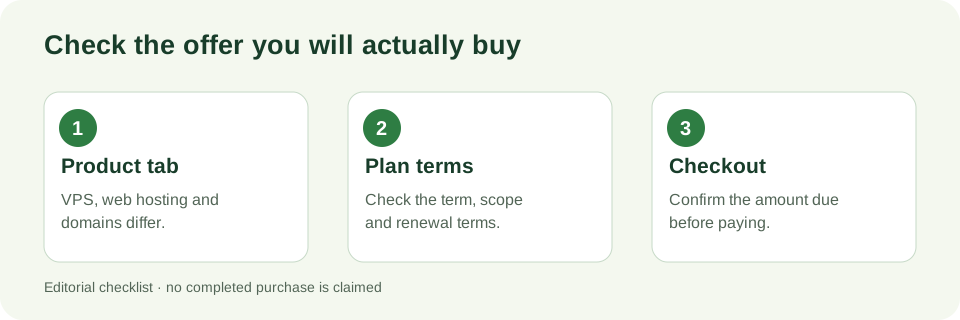
How to check a code for the right product
Open Hostinger's own coupons page and check that the country and language selector matches where you plan to buy. The observation above came from the United States, English view. Choose the product tab under the plan cards; the default Web hosting tab is not the VPS hosting tab.
Read the coupon label on the exact plan you want. If it still says COUPONSPAGE, continue to the provider's checkout and confirm the coupon, billing term, currency, amount due now and renewal price there. We did not place an order or test a completed payment, so the checkout is the final authority.
VPS, web hosting and domains are separate checks
The official coupon page has separate Web hosting, AI Builder and VPS hosting tabs. A code displayed on one tab should not be assumed to apply to another product or every plan. The Web hosting cards may mention a free domain, but that statement does not establish a domain coupon or a free domain with a VPS plan.
If you need a domain as well as a VPS, check the domain order and the VPS order separately. Do not add their advertised monthly rates together as if they were the final upfront payment; the coupon page states that plans are paid upfront and that a monthly rate is the total plan price divided by its term.
What can change before you pay
Hostinger's FAQ says coupons cannot be stacked: one coupon is allowed per order. It also says existing customers can use discount codes when ordering new hosting plans, while renewal discounts are available in hPanel. That does not prove this particular code applies to a renewal.
A displayed promotion can change by date, location, plan or checkout terms. If the code disappears from the official VPS tab or the final checkout does not show the expected discount, treat the live checkout as the current result rather than relying on this article's earlier observation.
A quick decision check
- Need a VPS? Use the VPS hosting tab, not the default Web hosting tab; inspect the plan-specific terms there.
- Need a domain too? Check that product's own terms; the VPS coupon check alone proves nothing about domain pricing.
- Already a customer? The official FAQ distinguishes discounts on new hosting plans from renewal offers in hPanel.
- Comparing offers? Record the amount due today and the renewal amount shown at checkout before deciding.
Sources and checking method
The site editor opened Hostinger's US English coupon page, compared its Web hosting and VPS hosting tabs, and expanded the official FAQ entries about coupon stacking and existing customers. The observations above are dated. No purchase or completed checkout was performed, and this page uses direct official links rather than an affiliate link.